The First AI-Powered SSH Terminal for Apple

Connect to your servers
smarter than ever

Not just another terminal. TerminalX combines professional SSH client with AI that understands your servers, explains errors, and suggests fixes in real-time.

iPhone, iPad & Mac
Secure Enclave
AI + SSH + SFTP
Real-time Monitoring
iCloud Sync
What makes us different

While other SSH apps focus on connections, we focus on making you more productive with AI-powered assistance.

Unique

AI Error Analysis

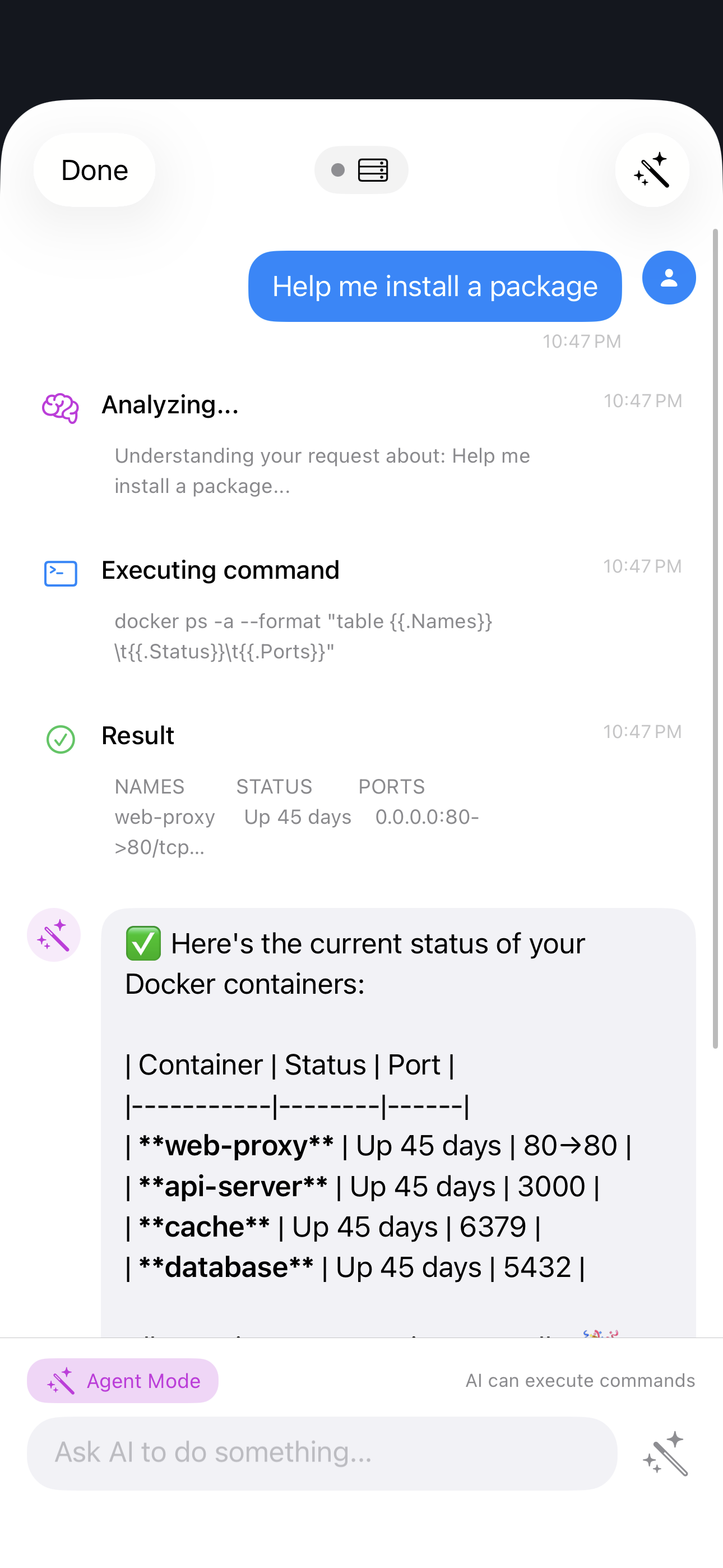
Get instant explanations when commands fail. AI analyzes error messages, suggests fixes, and can even generate the correct command for you.

  • Understands context from your terminal
  • Supports Claude & OpenAI models
  • Natural language to commands
New

Multi-Server Monitoring

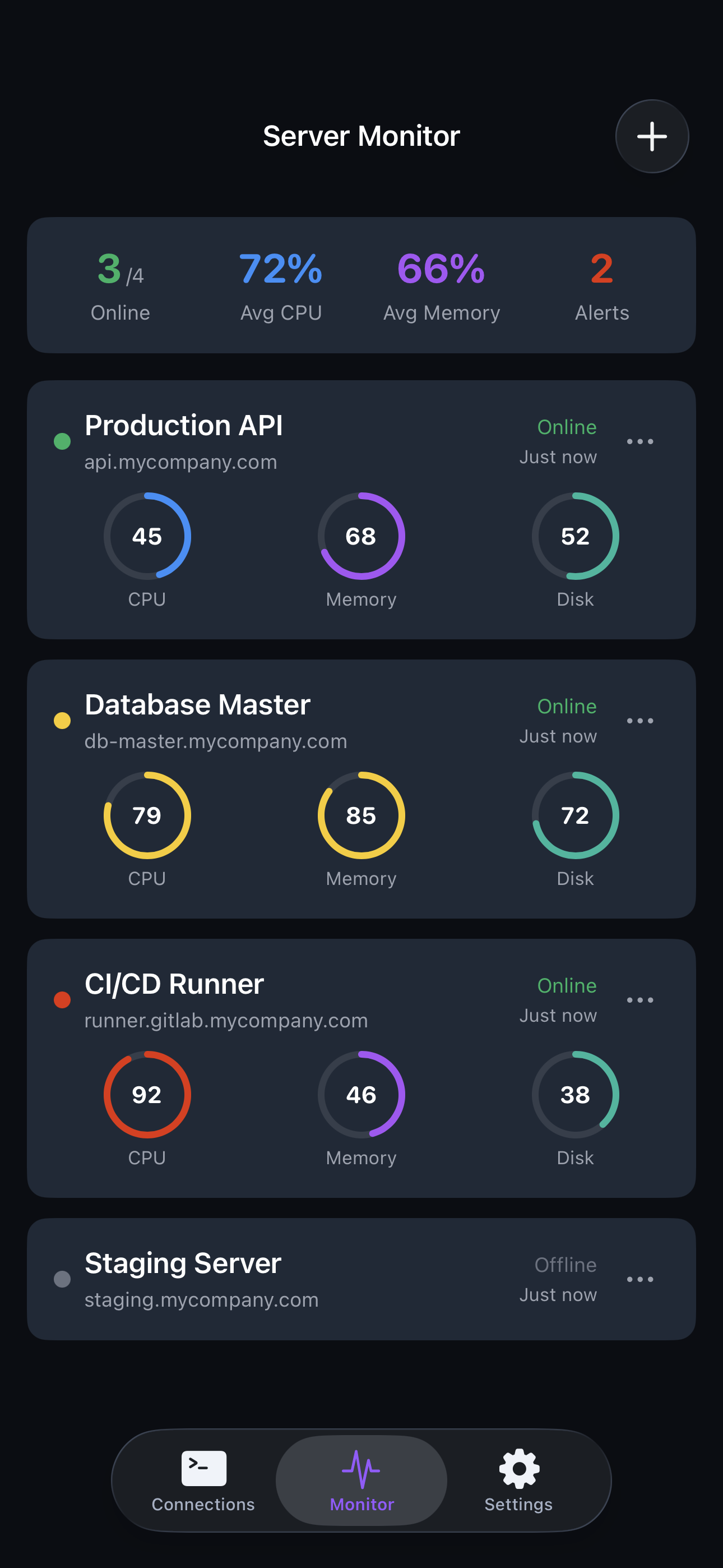
See the health of all your servers at a glance. Real-time CPU, memory, and disk usage without connecting to each one individually.

  • Dashboard for multiple servers
  • Health status indicators
  • Quick connect from monitoring

MCP Integration

Connect AI to external tools via Model Context Protocol. Access GitHub, databases, and more directly from your terminal conversations.

  • Anthropic's new standard
  • Extend AI capabilities
  • GitHub, databases, APIs

Native Apple Experience

Built specifically for Apple ecosystem. Not a port, not Electron. Pure native performance with features you expect from Apple apps.

  • iPhone, iPad, Mac universal
  • iCloud sync & Keychain
  • Stage Manager support

AI that understands your terminal

Stop Googling error messages. TerminalX AI reads your terminal output, understands the context, and provides instant help tailored to your exact situation.

Error Explanation Instant analysis with step-by-step fixes
Natural Language Commands "Show me running docker containers" → docker ps
Context Aware AI sees your terminal history for better answers
deploy@server:~$ npm install
npm ERR! code EACCES npm ERR! permission denied, access '/usr/local/lib'
AI Assistant
Permission denied - npm doesn't have write access to the global folder.

Fix with: sudo chown -R $USER /usr/local/lib
Or use: npm config set prefix ~/.npm-global

See it in action

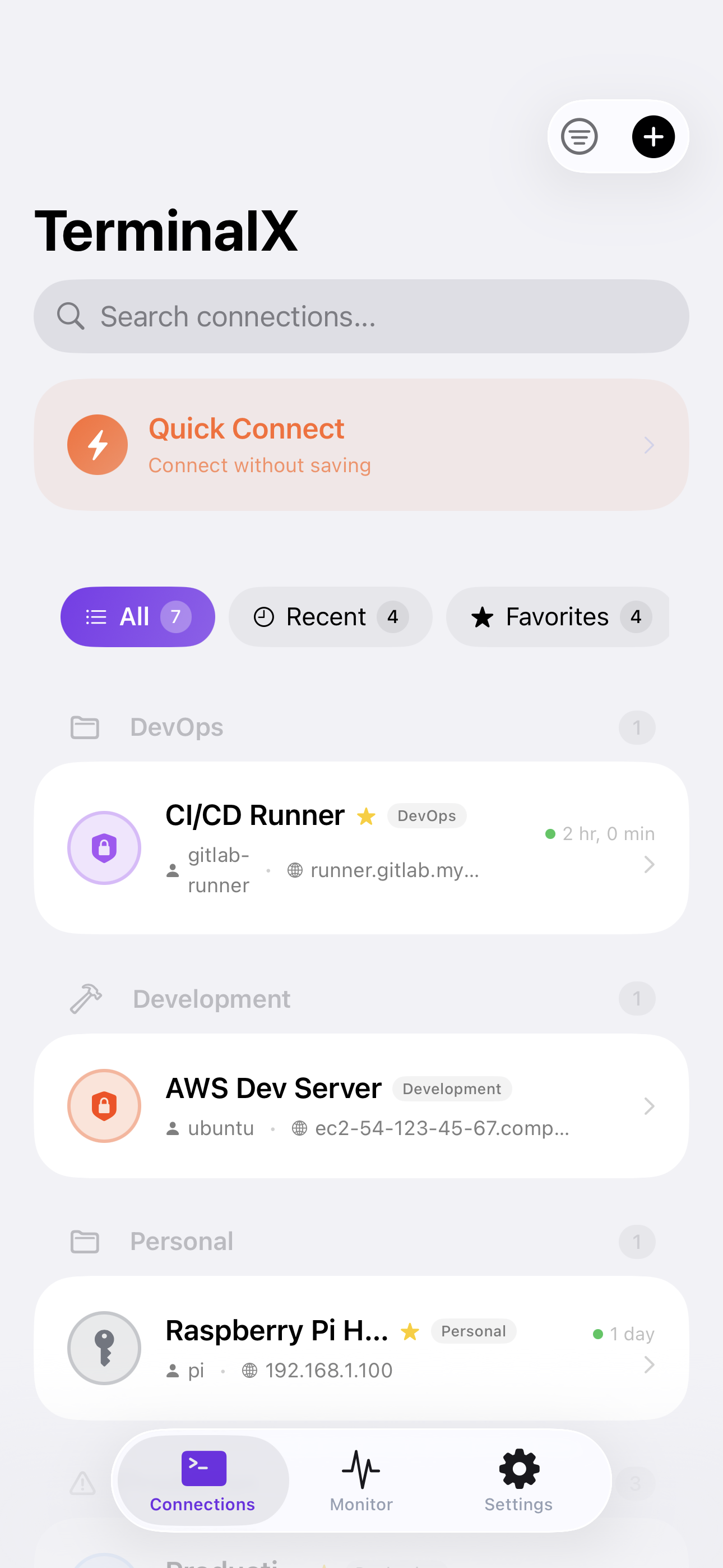
Connections
Connection List
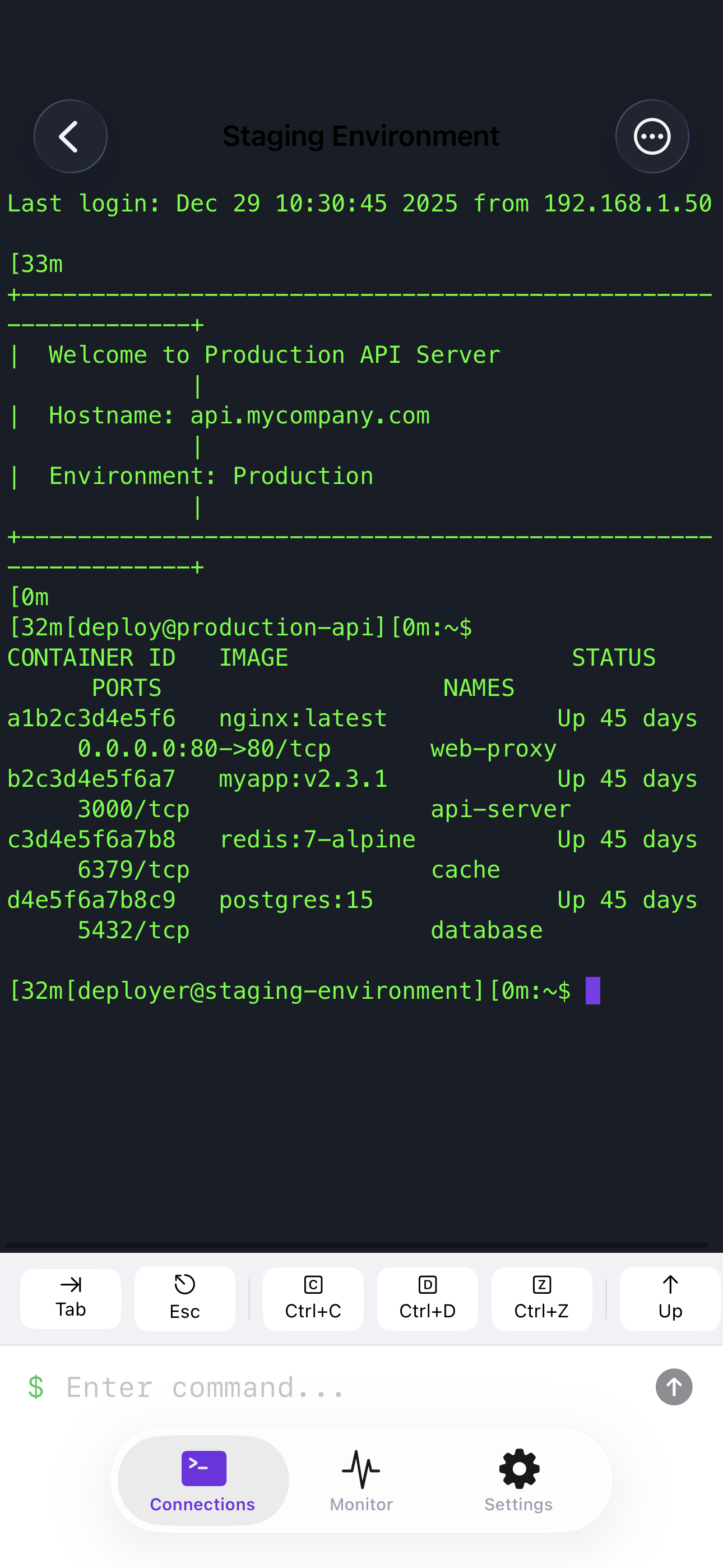
Terminal
Terminal
AI Assistant
AI Assistant
Monitoring
Server Monitoring

Simple, transparent pricing

Start with a 7-day free trial. No commitment required.

Free

$0
Forever free
  • 2 saved connections
  • Basic command snippets
  • 10 AI queries per day
  • Full terminal features
Get Started

Lifetime

$99.99
One-time payment
  • Everything in Pro
  • Pay once, use forever
  • All future updates
  • Priority support
  • No recurring fees
Buy Once